Showing posts with label technology. Show all posts

Friday, May 1, 2009

Learning From the CDC's Response to the Swine Flu Epidemic

Yesterday's Advertising Age analyzes the CDC's response to this very scary Swine Flu - or H1N1 virus - epidemic from the point of view of PR and marketing.

[image source: The Huffington Post]

The key takeaway from the article, is that in a time of crisis, the best communication is "neither sexy nor flashy, but [is] highly effective -- and critically timely." When people are scared and confused, it takes clear, consistent and credible messaging to prevent widespread panic.

Of course the goal of any communications effort should be to deliver clear, consistent and credible messaging. For those of us who are professional communicators, acheiving those goals during a time of crisis is critically important.

During this Swine Flu crisis, the communications team at the U.S. government's Centers for Disease Control and Prevention (the CDC) has turned to Twitter (with nearly 40,000 followers), a web-based "scorecard" on its front page, embedded mobile content, RSS feeds, and a prominent feedback form to help keep accurate information flowing out to the public.

The AdAge article is worth a read in its entirety - but its key points (with my summaries in parentheses) are:

Empower Those Who Want to Help Others: (Providing a central location for accurate and timely information is key)

Make Search Really, Really Simple and Accessible: (Duh)

Syndicate the Message: (Make your content easy to share with widgets, Twitter links, RSS feeds or embeddable mobile apps. Over-produced, flash-heavy sites with un-sharable video, is useless - both in times of crisis and under normal circumstances)

Communicate in Multiple Languages: (Even US based entities have non-English speaking customers - don't discount them).

Push Mobile as a Service Extension, and Don't Make it Complicated: (Services that feed mobile devices - twitter, RSS, facebook, etc - free your message from the desktop)

Be Simple and Selective on Twitter, Don't Over Complicate: (In a time of crisis, make sure everything you share is important, timely and actionable. When it arrives, your audience will know it's important)

Prime the Messaging: (The bulk of your messaging shouldn't change in a time of crisis. Have standard messaging ready to go, then add additional detail as needed)

Update the Scorecard 24/7: (the CDC has done a really good job refreshing and updating the swine flu "scorecard" on the front page. This builds confidence and authority. It keeps people coming back. It doesn't need to be sexy or flashy; it just needs to be reliable and consistent. Timeliness boosts relevance and credibility)

Exploit Sight, Sound and Motion: (Provide site visitors with multiple ways and formats to consume this serious content, from video explanations to podcasts featuring experts)

Proactively Ask for Feedback: (A prominent "Tell us what you think" option on the home page will ensure that in times of crisis, you have the best possible information at all times)

Even without a crisis at hand, these lessons are valuable. If you have information to deliver - whether for your brand, your product or your self, make sure you do so in a way that allows anyone interested in what you have to say to play an active role in absorbing and sharing that information. Make sure they can easily find and follow accurate, updated information and share it with others. Make sure you give them a way to send in feedback. Make sure you deliver the information in a language they understand, and in a medium that conveys both content and emotion.

These are classic tenets of communication, but sometimes it takes a crisis to remind us that they ring true each and every time.

Monday, February 2, 2009

Who's Online? Everyone.

The Pew Internet & American Life Project just published their Generations Online report for 2009 and it's worth a read (hat tip to Shabbir Safdar @ Virilion Inc. for publishing a link to the report in his latest newsletter)

The report challenges the idea that young people represent the bulk of users online. According to their research, each generation is as active online as any other - they're just using the internet for different things. Teens and Generation Y find entertainment and social networks online. Older generations use the internet as a tool for research, shopping and banking. Both the younger and older generations go online to do research.


Many of my clients are hesitant to expand their online outreach strategy much beyond a basic website and a monthly email newsletter (indeed, sometimes it's a challenge just to execute those two effectively). In today's internet, however, these two are clearly not enough. SEO, social media, interactive tools, and online word of mouth, are need to be critical components of any online strategy.

This research reinforces that no matter who your current audience is, and no matter which new audiences you are trying to reach, your more likely to find them online than anywhere else.

Which begs the question, what are you doing - right now - to create and execute a comprehensive online presence for your organization?

Saturday, December 27, 2008

Twitter goes mainstream

Now that the O'Reilly Radar has released their latest report Twitter and the Micro-Messaging Revolution: Communication, Connections, and Immediacy - 140 Characters at a Time (O'Reilly, $249, PDF), Twitter and the "micro-messaging phenomenon" have officially gone mainstream.

A number of my clients have approached me about whether or not they should use Twitter, and I've posted about using Twitter professionally before and I use Twitter myself, but as Twitter moves more solidly into the mainstream, my guess is these types of inquires will start to come in even more frequently.

The simple truth is that while both technologies and tools come and go, the ability to effectively create a conversation and tell a story are the real keys to success, especially for those of us in PR.

Before your company and/or organization decides to actively engage in the "twitterverse", begin by finding out what people are saying about your organization and/or category in these active communities. Run a simple twitter search to find patterns in the existing conversation, or follow key thought-leaders in your industry anonymously to see how they use the tool.

Watch. Learn. Listen. Then – and only then – make a conscious decision about what you want to accomplish before diving in to the conversation.

As social media – including Twitter – moves to the mainstream, more and more users will begin to dive in to it without thinking through their objectives thoroughly. This is another opportunity to use the “POST” method pioneered by Forrester Research. POST is an acronym for “People, Objectives, Strategy, Technology” and it outlines the order in which organizations should build their online social strategy. (For more information on the POST method, click here.)

While I've long advocated for the value of social media as an effective, and increasingly relevant, PR tool - I've now begun to worry that its misuse could start to do more harm than good.

Update: 1/6/08 -
An excellent resource for using Twitter for Community and Communications professionals from Brian Solis @ PR2.0.

Wednesday, December 10, 2008

Two new tools I love

I've recently stumbled across two new tools that I love that I thought were worth sharing.

image source: http://teachers.thelanguagemenu.com/TeachersTools

Note: I'm not advertising for these companies/products - and there may be better tools out there that accomplish these tasks (if you know of any, please share them in the comments section) - I'm just excited about them and wanted to pass them along in case others find them useful as well:

1. Press Release Grader:
A simple web-based tool that checks your release for both basic PR mistakes (missing contact details, etc) and generates a word cloud that shows you how your word use appears to search engines - a critical piece of data for Search Engine Optimization. It also gives your release a numeric grade out of 100, and confirms its overall readability. It's an incredibly quick and helpful tool to help you refine your release before you send it out into the world.

2. Pitch Engine:
An elegantly designed web-based tool that allows you to easily convert your standard/traditional press release into a blog and social-media friendly SMR. It's free to use (you incur costs if you want to archive materials or group them into "newsrooms" - both of which are worth paying for if you ask me) and actually turns your press release into something useful, i.e., something that can be shared online.

Enjoy!

--------
Update 1/14 - PRN has a press release optimizer as well here. Any other tools out there that deserve to be shared?

Monday, April 21, 2008

Who's Talking About Your Organization?

Did you ever wish you could be a fly on the wall – listening to what your members, donors and supporters are saying about you when they're casually chatting with their friends and neighbors?
[photo credit: psd]

Hopefully, they're saying nothing but good things about your organization – but what if they're not? What if they're passing along outdated or incorrect information? What if they're griping about things you could easily change if you only knew?

Social media (aka "social networking") – including Twitter, Facebook, Flickr, YouTube and others – has created an enormous, global, non-stop conversation. Some of those conversations might be about you - and if they are, wouldn't you want to know?

There are a number of ways to keep track of online conversations that are about your organization. I've posted before about using Google Alerts as a tool for precisely this need, but some new tools have emerged, including TweetScan and Yahoo!Pipes (note: creating a new Yahoo!Pipe is definitely for more advanced users - but the Social Media Firehose Pipe is already set up and very easy to use). With all this information at your fingertips, it's worth taking the time to find out what people have to say.

Jason Alcorn and Shabbir Imber Safdar wrote a wonderful case study that illustrates how keeping track of what people are saying in the social media universe can help make a difference in your organization's communications strategy.

Now more than ever, knowing really is half the battle.

Tuesday, April 15, 2008

Making your organization's website work for you

So many of my clients have websites that were designed by "Volunteer Bob" - who used to code HTML back during the DotCom bubble. Now, Bob doesn't answer emails and phone calls promptly, no one knows how the site really works, and making even the simplest changes is like pulling teeth.

[photo credit: tyger_lyllie]

This is a problem - and not one to be taken lightly. Your donors, volunteers, and constituents expect you to have an online presence that works. It's not optional, it's required.

If you're unable to quickly link to new news stories that appear online about your organization, your press efforts are partially wasted. If you're unable to invite people to join your mailing list, donate money, or RSVP to an event, your organization is missing out on enormous fund raising and goodwill opportunities. If you can't keep your online press kit (Nancy Schwartz's article is also a great reference for information about online press kits) up to date, journalists may opt to cover another organization in your sector that has more readily accessible information.

If keeping your site updated is a constant headache - consider taking the following steps:
  1. Take the time to decide what you want your site to do.
    Work with your team to map out, on paper, how each page of your site should look and behave. Take social networking options into account, be clear about who is responsible for maintaining and updating each section of the site, and set a schedule for those updates. A great way to do this is to draw outlines of each page on regular sheets of copier paper, and then tape them up on the wall of a conference to form a giant, life-sized map of your site.
  2. Contact a reputable local web development firm.
    Your going to need professional help. It's going to cost money. Using volunteer assistance is probably what caused your problems in the first place. The amount of time, energy and anxiety you've probably already expended is likely to be easily offset by finding someone to do it right the first time. [Some great firms in the Bay Area are Advancing Ideas, and Creative B'stro]
  3. Ask them the following questions:
    (a) "Will you provide a back-end interface?" - This interface will allow you to make simple changes to your own site without having to go through a third party
    (b) "Do you use open source CMS applications?" - Content Management System (or CMS) applications are engines which store content in a database for use on your site. This means the content isn't "hard-coded" into each page of your site. This is good, because it means you can change the content in the database (through the back-end mentioned in #1) and it wil automatically appear on the site. Open source is good because it means a lot of people are using it and are constantly making it better.
    (c) "Do you provide training?" - You're going to need it, and you don't want to end up paying extra for it.
    (d) "Do you provide both design and development?" - This could be a great opportunity to consider both re-designing your website and creating a way to make keeping it updated easier. Some shops do both, and do both well. Others specialize in just design, or just development. Know which skills you need, and which they offer, before you begin.
Expect to spend between $75 - $100 an hour for their services. And expect each page of your site to take them about 2 hours to develop. Also be sure to build in time for revisions and changes. And expect to do a full refresh of your site at least every other year.

If your site is losing money and members just because it's out of date, hard to navigate, or difficult to use, think about how much money those problems are costing your organization over a 12 month period. Spending money now on getting your site in shape is a wise investment for most organizations.

Monday, April 14, 2008

What's your keyword?

One of the most important goals of your organization's communications plan should be to make sure people can find your organization when they are looking for information about your sector.

Does your organization's website appear at the top of search results that include keywords for your sector? A study by RankStat.com confirms that that "most people use 2 word phrases in search engines. Of all search engines world wide, 28.38 percent use 2 word phrases, 27.15 percent use 3 word phrases and 16.42 percent 4 word phrases."

[photo credit: cambodia4kidsorg]

This is a critical piece of data. It means that most people only type in 2 or 3 words when they're searching for information. If you had to express your organization's mission, purpose, vision and values in only 2 or 3 words, which words would they be? If you aren't sure, now is the time to come up with a strategy, and create a plan of action. By elevating the chances that you'll appear in the search results of those looking for organization's like yours online, you're guaranteed to increase your organization's visibility - which is more than can be said for more traditional publicity efforts like mailing out a press release.

Once you've taken the time to determine what your keyword strategy should be - spend the time to make sure your materials - both online and offline - use those keywords deliberately. It's not enough to bury them in your mission statement - or on the "about us" page of your website. Your keywords should be visible everywhere, and repeated as often as possible (without negatively impacting the quality of your written content).

The more you reinforce your keywords' connection to your agency, the more the search engines will do so as well. This practice is often called Search Engine Optimization (or SEO) and it's worth the effort if your organization doesn't appear on the first page of the search results for your chosen keywords.

Tuesday, March 4, 2008

What Is Social Media?

I ran across this definition of social media today from Erica O'Grady:
Social Media is NOT about technology or Web 2.0 applications. Social Media is Word-of-Mouth or Community Based Marketing that leverages technology to enable conversation.
I couldn't agree more. So many of my non-profits clients shy away from my recommendation to use social media tools (a.k.a. "social networking tools") to communicate with their constituents because they're afraid of new technology.

As Erica's definition above confirms - it's not about the technology. It's about the conversation. When the technology can make the conversation easier to have - and allows more people to be involved in it - then it's the best tool for the job.

Saturday, March 1, 2008

PR 2.0

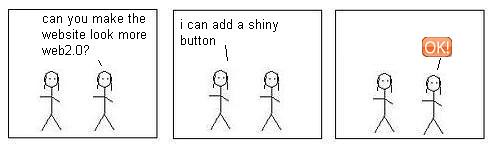
The idea that the web has moved away from a one-way conversation (corporate web sites, newspaper articles online, etc.) and towards a multi-layered conversation (users creating and uploading their own content, reviewing products and experiences, and commenting on articles published by traditional media sites) is fairly well established at this point. Generally, you'll hear people call this shift "Web 2.0."

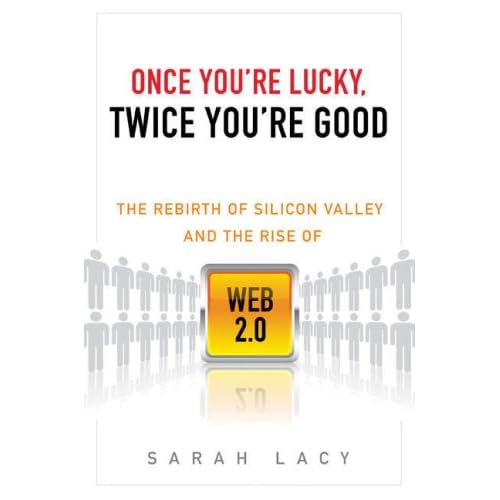
Sarah Lacy's upcoming book Once You're Lucky, Twice You're Good: The Rebirth of Silicon Valley and the Rise of Web 2.0 is destined to be the definitive work on this idea.
When her book hits the shelves in May, it's likely to make a lot of non-Silicon Valley types examine exactly how this technological shift impacts the world around them.

For those of us in PR, the shift has been happening for quite a while. Brian Solis fixed the term PR 2.0 in the lexicon when he began a blog of the same name in April of 2006, and Todd Defren has been monitoring the impact of the new web on the communications industry from his vantage point at Shift Communications for the past several years. Of course there are hundreds of other pundits and commentators as well - far too many to mention here.

The point is, they're all saying the same thing. More and more people have stopped simply receiving information and have begun to actively create it. More and more people now get their information from sources that didn't even exist 5 years ago.

My own information habits have changed drastically over the last few years. My morning hours are now spent absorbing information via blog readers, minute-by-minute updates from both industry leaders and personal friends via Twitter and Facebook, broadcast news delivered via TiVo, and radio news delivered via podcast. At no point do I interact with traditional media in any way. And the same is true for most of my peers.

For the PR industry, this poses a particular problem. Since we're in the business of feeding information into an existing distribution structure, what happens when the structure shifts? The answer: We must shift as well. And fast.

While it used to be sufficient to send a standard press release to a set of wire services - now both the release itself, as well as the distribution mechanism, are in flux.
  • Social Media Releases - Not all content creators are journalists. Journalists are trained to tell stories. Bloggers, pundits and analysts are much more interested in tracking industry changes one fact at a time. Traditional press releases are designed to tell the whole story at once. Social media releases just list the facts, key quotes, and critical issues.
  • Social Media Optimization (SMO) - Just as search engine optimization (SEO - which I posted about earlier this month) is a critical component of any web strategy, optimizing your publicity efforts so they can be easily spread by supporters using social media sites is now critical as well.
If your publicity efforts are stuck in Web 1.0, now is the time to make a change. Otherwise you might find that you're still communicating, but no one's listening.

Tuesday, February 26, 2008

New Features on Facebook Causes

I got this email today from the Causes application on Facebook:

Dear Cause Administrator,

Since you started a cause on Facebook, you might be interested in an exciting new Causes feature. If you work for the nonprofit for which you started your cause, you can now claim your official Nonprofit Profile on Facebook.

To do so, just submit a nonprofit partner application here:
http://www.causes.com/partners/partners/new

By claiming your profile you become a nonprofit partner, which allows you to control all of your interactions with Causes on Facebook from one central dashboard. Here you can edit your official Nonprofit Profile, select official and featured causes, keep track of all causes benefiting your nonprofit, see a list of all recent donors, and download donor contact information.

If you don't work for a nonprofit but are in touch with someone who does, feel free to let them know about our new system. If you've already submitted a partner application then there's no need to do so again - you're all set.

Thanks,
The Causes Team

This is a really smart move, both for the makers of the application, as well as those who administer applications on Facebook. Popular non-profits tend to have multiple presences on Facebook, and until now there hasn't been a good way to keep track of them all - or to be sure they all originate from people actually representing the organization's best interests.

If you haven't started a Cause on Facebook for your organization yet (click here for reasons why you should) - now is a great time to do so. If you have started a Cause, now is a great time to go through and see how your efforts have multiplied across the network. You might be surprised.

Tuesday, February 19, 2008

Free Technology

For non-profits that need to keep track of donor data, behavior and solicitation frequency, the Salesforce.com Foundation is offering 10 free licenses to Salesforce which essentially allows any non-profit to use their CRM services for free.

For non-profits that need spreadsheet, word-processing, calendaring and email applications, Google is offering its enterprise edition application package to non-profits for free as well.


For organizations that are strapped for resources (and I have yet to meet one that isn't), these free tools open up worlds of possibilities without costing a penny.


Sunday, February 17, 2008

Making Google Work For You

For organizations that already have a solid web presence - meaning a site that explains the mission and vision of the organization in a compelling way and also encourages supporters to provide their contact information and donate to your cause - the next step is to find a way to bring more people to your site.

Begin by typing in some keywords about your organization into Google. The higher your website is on the list of search results for your keywords, the more visitors your site is likely to get. If your organization is dedicated to serving homeless children in New York, type "homeless children New York" into the search engine and see what happens. Is your organization on the first page of the results? Most people don't navigate beyond Google's first page, so if you want to connect with those searching for organizations like yours, what can you do to appear higher in the results?
  1. Search Engine Optimization. Sometimes you'll hear this referred to as SEO in the tech world. This is essentially a series of steps you can take to make sure that search engines can read and catalogue your site easily. Many companies offer SEO services for a fee, but you can probably make many of the changes yourself.
  2. Keep your content fresh. Search engines consider recent information more important than old information. Keep your site updated, read and comment on blogs in your sector, and publish press releases, journal articles and studies regularly to be sure your organization appears in as many new online locations as possible.
  3. Encourage connections. The more places on the internet that link back to your site, the higher your search engines rankings will be. Encourage connections by giving people something to talk about - and a place to do it. Social networking sites create satellite outposts for your organization throughout the web - allowing you to alert supporters to newly published press releases, journal articles, studies and other tidbits of information as they're available on your site. As those supporters discuss and distribute new news, their links back to your site will increase your search engine standings.
  4. Advertise on Google. If your search placement still isn't ideal, consider advertising. Google offers grants to nonprofits who would like to appear in the paid search results that appear at the top and right-hand side of search results.
Have other ideas? Share them in the comments section below!

Tuesday, February 12, 2008

Developing Your Distributed Funding Network

There's even more buzz these days about a movement to a distributed funding model for non-profits who are able to get into the game early.


Today's NonProfit Times newsletter offers these tips to turn your most engaged supporters into an online fundraising network:
  1. Start with social networking - "Social networking may not be a gold mine of donations, but it is a successful way for organizations to educate the public about its mission and cause."
  2. Develop an online communications strategy and plan. "For organizations with limited resources, this can be as simple as a monthly e-newsletter. A more elaborate e-communications plan will include a number of online activities such as social networking, online or virtual events, and video clips in addition to e-newsletters and general Web site maintenance."
  3. Employ viral marketing tactics. "Personalize communications. Offer incentives. Make messages clear, easy to understand, and easy to share."
Have other tips? Share them with the rest of us by leaving a comment on this post!

Friday, February 8, 2008

Creating Community

H&R Block - of all things - has created a great real-world example of how a comprehensive online presence can create a sense of community. If H&R Block can create community around doing taxes - it should be that much easier for non-profit organizations to do so.

A post on the blog Social Media Today outlines H&R Block's strategy that involves Facebook, MySpace, YouTube, Twitter and a dedicated Forum. The post goes on to say "It’s great to see a traditional company in an highly traditional industry that’s better known for being incredibly boring starting to reach out to people in a much more helpful and fun way."

To check out what they've done, go to these sites:
At first glance, it might seem like a daunting task to create and maintain this kind of multi-faceted social network for your organization. But think about what you do now - you generate emails to your supporters, you create newsletters and brochures, you submit press releases and you do interviews with the media.

With all of those activities, you're already generating a ton of content. Why not take that existing content and give it a home on the web? Better still, once you do - your supporters will add their own content to your own - creating a rich environment in which your community can truly flourish.

What has your organization done to create a community for your supporters? Is there a community out there already that has formed organically? Are you a part of it?

Building Your E-Mail Base

Something that many of my clients overlook is the opportunity to collect email addresses - and permission to use them - from their supporters.

Most of my clients have a list of emails they've gathered from donors and event sign-up sheets over the years, but very few have a consistent strategy for either adding to that list, or keeping their existing list current.


Can your organization answer yes to the following questions?
  1. Does your website have a prominent email collection box that's visible on every (or almost every) page?
  2. Do emails that you send to your current list have both a "forward to a friend" button as well a "sign up for our newsletters" button - making it easy for your current supporters to recruit new supporters?
  3. When you collect emails addresses at events, do those new people receive a welcome message from you within one week?
  4. Do your printed mailers include an "update your information" section - pre-printed with the information you currently have - to make it easy for people to notify you when their information changes?
  5. Do you regularly purge invalid emails from your list?
If you can't answer yes to all of these questions, you aren't optimizing your organization's email strategy. Your email list is one of your most valuable assets - make every effort to treat it accordingly.

Sunday, February 3, 2008

The Value of Video

While many of the presidential contenders are using video as part of their campaigns, Barack Obama's campaign (and I say this only by way of illustration, this is not a political blog) has gone one step further and created a music video.


Those in PR in general, and those doing publicity for non-profits in particular, should stand up and take note of this tactic for 3 reasons:
  1. The video is easy to share. The first lesson of the interactive Web (or Web 2.0) is that anything you create in support of your organization must be easy for your supporters to pass on to their own networks.
  2. The video is compelling. The second lesson of the interactive web is that sub-par creations aren't tolerated. Technology has allowed even amateurs to create high-quality, highly engaging pieces. Anything less won't be passed along the network. Your supporters, no mater how fervent, won't pass along anything that puts their own reputation at risk.
  3. Video is the right medium for the message. This message of hope and human aspirations wouldn't have had the same impact if its message had been presented as a PowerPoint presentation or a bulleted list of talking points. If you're trying to communicate emotion, video is the right medium - do it right, and it will have a larger impact than any other efforts you might be considering.
Video is not a fad. It's emerging as a key message delivery system for both for-profit and non-profit organizations precisely because it so effectively conveys information and emotion in a single package.

How can your organization use video to its benefit? If you already have video assets, are they good enough to ensure your supporters would pass them along to their personal networks? If not, what can you do - now - to change that?

Thursday, January 31, 2008

A Map of The Internet

An amazing map of the current state of the internet - using social networking, file transfer protocols, corporations, applications, etc. to show how it all connects together.

Wow.


Wednesday, January 30, 2008

Taking The Plunge

Todays Network for Good's Nonprofit Marketing & Fundraising Tips newsletter has an excellent list of tips for getting your organization started with social networking. The key message of the article - which I think is spot on - is this: "It's time to turn your message over to your constituents."


I couldn't agree more. There's no way for your organization's staff to reach out to everyone who might be interested in your work. You couldn't possibly find them all - let alone find a way to contact them. More importantly, people tend to pay attention to things that are introduced to them via a friend or trusted contact. While you may grow to play that role in the lives of your supporters - you certainly won't begin your relationship with them that way.

In truth, this is exactly how things have always worked for non-profit organizations. A small group of active supporters recruits new supporters from their circle of friends - those friends recruit new supporters - and so on. This same behavior has simply moved online. The only new element is that organizations now have the ability to fuel this word-of-mouth growth by providing supporters with web-based tools and information to pass along to their friends. It's a win-win situation - if you're willing to do the work it takes to create those tools and make them available online.

Here are the tips offered by today's newsletter (I've edited them down a bit for length) - all of which mirror my own previous posts on this topic -
  1. Pick one social networking channel in which to get involved. Try Change.org, Facebook or MySpace. Or set up a blog. [...] It's better to have a strong presence in one network than to spread your organization too thin across Web 2.0.
  2. Search the Change.org network, Facebook Causes or MySpace pages for a nonprofit with a similar mission as yours. See who their "friends" are and invite them to your cause once you're up and running.
  3. Make it easy for supporters to find you. [...] Name your social networking page exactly as your organization is named. Again, have a strong presence in one channel rather than all of them. [...]
  4. Build your [list of supporters..] give them a strong call to action to supply their email address to you so you can contact them later.
  5. [...] empower [your supporters] to share your charity with others: ask them to recruit friends to volunteer for you, create a charity badge and invite them to post it on their own blogs and social networking sites.
Network for good also has a good white paper on fundraising using social networking if you'd like more info.

Twitter Me This

Add one more social network site to your organization's list of communications tools - Twitter is the latest in a long list of ways to communicate with, and to, those who are interested in your organization's work.


What is twitter? It's essentially a shared space where people answer the question "what are you doing right now?" with short posts called "tweets". Answers range from the innocuous (someone in my group just posted the name of the movie they're watching), to the political (many people in my group are commenting on the Florida primary results), to the obscure (someone in my group is working on a slideshow about knitting). Just as often, these short tweets will break news or encourage conversations on topics that might not find a home in mainstream media.

I often think of twitter as the hum of background chatter you might hear in a bar when you walk in. It's strangely soothing, and it acts as in indicator of activity - the louder the hum, the more interesting the bar. You can ignore the individual conversations but still feel plugged in to the larger group - or you can pick up on a conversation that interests you and choose to either listen or join in.

How are organizations using twitter? NPR's Bryant Park Project sometimes uses twitter to solicit listener comments and questions during their live broadcast. Barack Obama's campaign (as well as Hillary Clinton's and John Edwards') uses twitter to update supporters on progress and give them an inside view into their campaigns (although, to be sure, campaign staffers rather than the candidates themselves keep those tweets up to date).

How can your organization use twitter? If your organization is focused on a sector where things change quickly, and if your organization tends to have web-savvy constituents, twitter might be an excellent way to keep new news flowing quickly to those who are interested. Before diving in, however, be sure to test the waters. Sign up for an account and begin to follow people and organizations you personally find interesting. If you find you can't stop twittering, it may be worth adding twitter to your organization's online strategy.

For more on using Twitter in the non-profit sector, check out Beth Kanter's great post here.

For a great case study detailing how the Brooklyn Museum is using Twitter, blogs, Flickr and YouTube, read Dave Evans' great post here.

Monday, January 28, 2008

Going Mobile

I've discussed social networking on this blog a great deal, but I haven't spent much time discussing new ways for organizations to communicate with their audiences offline. Outside of printed pieces like newsletters and donation solicitations, what are an organization's options? What are the most effective ways to communicate with donors that aren't sitting in front of their computers?

Text messaging has emerged as a great way to communicate with younger users. The Student PIRGs’ New Voters Project recently released a study demonstrating the effectiveness of using text/SMS messages to mobile phones to mobilize young voters in the November 2006 elections.


The fascinating study includes some key takeaways that may surprise some of us who can no longer check the "under 25" box when filling out forms (note that I've made some minor edits to their key points below to generalize their findings beyond youth voting):
  • Young [people] are a very mobile population and are increasingly difficult to reach by traditional ... channels such as telephone calls to landlines.
  • A quarter of Americans under the age of 25 used a mobile phone as their only telephone in the first half of 2006.
  • The mobile-only population is projected to reach nearly 30 percent of the entire American public by ... 2008.
  • Text / SMS messaging is already widely used among young people as a form of communication.
  • 59% of recipients reported that the [text message] was helpful, versus only 23% who found it bothersome.
Another key item I took away from their report was how cost effective Text/SMS messaging was for their efforts. In terms of votes generated, text messaging was less than 1/10th the cost of any other type of effort according to the chart below:

How can your organization use text messaging to reach those who rely heavily on this form of communication? Do you know if any of your key audiences fall in to this category? If they do, do you have their mobile phone numbers and permission to send them text messages?

In an increasingly connected - and increasingly mobile - world, these are going to become critical questions.

ShareThis